
Real estate runs on email, phones and speed. Agents send offers from their cars, clients sign documents on their phones, and deposits move between buyers, brokerages and lawyers within hours. That pace is exactly what criminals exploit. A single fake email with “updated payment instructions” can redirect a deposit, and a compromised agent account can be used to target every client in the inbox. This guide covers practical cybersecurity for real estate brokerages in the GTA, with steps that protect agents, clients and the brokerage without slowing down deals.
Why real estate brokerages are targets
Criminals go where money moves quickly and trust is high. Brokerages tick both boxes:
- Large deposits change hands on tight deadlines, often arranged by email
- Many independent agents use their own phones and laptops, with varying levels of security
- Public listings reveal who is buying, selling and when deals close
- Shared transaction documents contain names, addresses, financial details and ID
- E-signature requests are routine, so a fake “please sign” email looks normal
- Agents move between brokerages, so old accounts and access can be left behind
None of this requires sophisticated hacking. Most attacks start with a convincing email and a stolen password.
The most common threats
Deposit and payment fraud
An attacker gains access to an email account, or creates a look-alike domain, and watches a deal progress. At the right moment, they send new payment instructions that appear to come from the brokerage, the agent or the lawyer. Our post on business email compromise explains how these schemes work in detail.
Account takeover
Phishing emails lead agents to fake sign-in pages for Microsoft 365, e-signature platforms or listing tools. Once a password is captured, the attacker can read mail, create hidden forwarding rules and send messages that look completely legitimate.
Lost or stolen devices
A phone left at a showing can expose client documents, email and saved passwords if it is not protected and managed.
Ransomware
Malware that encrypts files can lock up transaction records, contracts and accounting data. Brokerages without tested backups may lose days of work, or more.
Cybersecurity for real estate brokerages in the GTA: practical steps
1. Require multi-factor authentication for every agent
Turn on multi-factor authentication (MFA) for email, Microsoft 365, e-signature tools, CRM and listing platforms. MFA is one of the most effective ways to stop attackers who have stolen a password.
2. Verify every payment instruction by phone
Make it a firm brokerage rule: any new or changed banking details must be confirmed by calling a known phone number, never a number in the email. Tell clients this rule at the start of every deal, and remind them that the brokerage will never change payment instructions by email alone.
3. Protect email at the brokerage level
Use advanced email filtering, such as Microsoft Defender for Office 365, to check links and attachments when they are opened. Set up SPF, DKIM and DMARC on your domain so criminals cannot easily send email that appears to come from you, and watch for look-alike domains.
4. Manage agent devices, even personal ones
Agents often use their own phones. Microsoft Intune app protection policies can protect brokerage email and files on personal devices without taking control of the whole phone, and allow the brokerage to remove business data if a device is lost or an agent leaves. Combine this with endpoint protection, such as Microsoft Defender for Business or Bitdefender GravityZone, on laptops that handle client files.
5. Lock down shared files
Store transaction documents in a secure, structured location such as SharePoint, with access limited to the agents and staff who need it. Avoid “anyone with the link” sharing for files that contain personal information.
6. Offboard agents promptly
When an agent leaves, disable their brokerage accounts, remove access to shared files and platforms, and recover or wipe brokerage data from their devices. Good offboarding stops former accounts from becoming a back door.
7. Back up and test
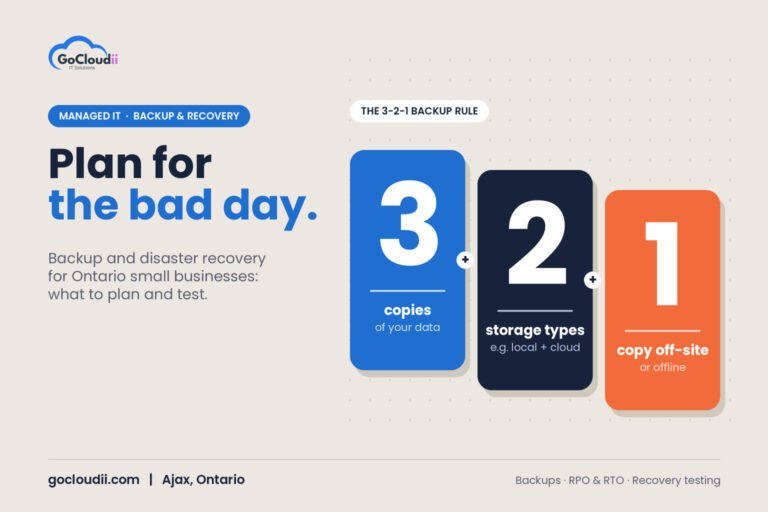
Back up Microsoft 365 email, OneDrive and SharePoint, as well as accounting and transaction systems. Keep at least one copy attackers cannot change, and test restores regularly.
8. Train agents and staff
Short, regular training helps agents spot fake e-signature requests, urgent payment changes and suspicious sign-in pages. Make it easy to report a suspicious email without blame.
What to do if you suspect fraud
- Call your bank immediately and ask them to try to stop or recall the payment
- Contact the client and any lawyers involved using known phone numbers
- Reset the affected passwords, sign out all sessions and check for mailbox forwarding rules
- Report the incident to local police and to the Canadian Anti-Fraud Centre
- Contact your IT provider and cyber insurer, and preserve emails and logs
Frequently asked questions
Are agents responsible for their own device security?
Responsibilities depend on your brokerage’s policies, but client data and brokerage email are at stake either way. A brokerage-wide standard for MFA, device protection and email security protects everyone.
Is Microsoft Defender or Bitdefender better for a brokerage?
Both are strong when properly configured and monitored. The right choice depends on your devices, budget and existing tools. Our comparison of Microsoft Defender vs Bitdefender explains the differences.
Can we protect personal phones without managing them completely?
Yes. App protection policies protect brokerage email and files inside approved apps without giving the brokerage control over personal photos, messages or other apps.
Protect your brokerage with GoCloudii
GoCloudii helps real estate brokerages and teams in Ajax, Durham Region and across the GTA reduce the risk of fraud and data loss. Our cybersecurity services cover MFA, email protection, endpoint security and training, our Microsoft 365 solutions secure email, files and personal devices, and our managed IT services handle onboarding, offboarding and day-to-day support. Contact us for a free consultation and a security review of your brokerage.