“Do we need Bitdefender if we already have Microsoft Defender?” It’s one of the most common questions we hear from dental offices, clinics, law firms and non-profits across the GTA. Both are respected business security platforms, both can stop ransomware, and both show up on cyber insurance questionnaires. The right choice depends on your licences, your devices and who will actually watch the alerts.
This guide compares Microsoft Defender vs Bitdefender in plain language, so you can decide which endpoint protection fits your Ontario office, or whether you need both.
Why endpoint protection matters more than ever
Every laptop, desktop and server in your office is an “endpoint,” and each one is a possible way in for attackers. Basic antivirus that only looks for known viruses is no longer enough. Modern attacks use stolen passwords, malicious scripts and legitimate admin tools, so business-grade protection now needs:
- Next-generation antivirus that uses behaviour and cloud intelligence, not just signatures.
- Endpoint detection and response (EDR) that records suspicious activity and lets someone investigate and contain it.
- Central management, so every device has the same policies and nobody can quietly switch protection off.
- Reporting you can show to an insurer, auditor or privacy regulator.
Both Microsoft Defender for Business and Bitdefender GravityZone cover these basics. The differences are in how they fit your environment.
Microsoft Defender for Business at a glance
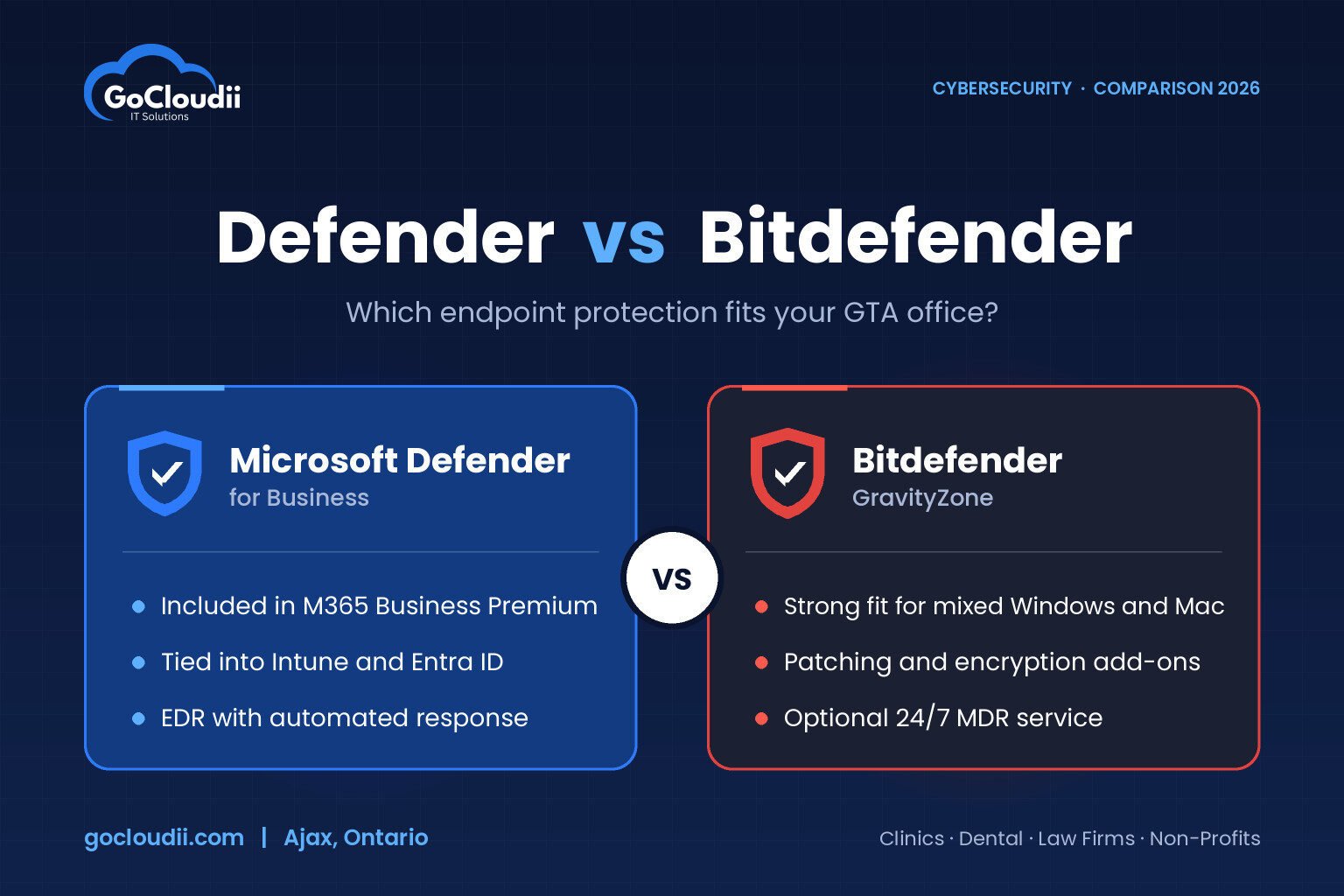
Microsoft Defender for Business is Microsoft’s endpoint security product for organizations with up to 300 users. It is included in Microsoft 365 Business Premium and can also be bought on its own.
Strengths
- Already paid for if your office has Business Premium licences.
- Tight Microsoft 365 integration with Intune, Entra ID (formerly Azure AD) and Defender for Office 365, so device health can feed into sign-in rules.
- EDR and automated investigation, which can contain common threats without waiting for a person.
- Vulnerability management that flags missing patches and risky software.
Things to consider
- Settings are spread across the Defender and Intune portals, which can be confusing without an IT partner.
- It works best when most of your devices are Windows PCs managed through Microsoft 365.
Bitdefender GravityZone at a glance
Bitdefender GravityZone is a cloud-managed security platform used by many managed IT providers. It comes in tiers, including Business Security, Business Security Premium and Business Security Enterprise, with more advanced detection and response features in the higher tiers.
Strengths
- Consistently strong malware protection with low performance impact on older PCs.
- One console for mixed fleets, including Windows, macOS and Linux devices.
- Modular add-ons such as patch management and full disk encryption that can be added from the same console.
- A managed detection and response (MDR) option from Bitdefender for offices that want round-the-clock human monitoring.
Things to consider
- It is an extra licence on top of Microsoft 365.
- It does not plug into Microsoft 365 sign-in policies as natively as Defender does.
Microsoft Defender vs Bitdefender: which fits your office?
Choose Microsoft Defender for Business if…
- You already have, or plan to move to, Microsoft 365 Business Premium.
- Most of your devices are Windows laptops and desktops.
- You want device security tied into Microsoft 365 controls like conditional access.
Choose Bitdefender GravityZone if…
- You are on Microsoft 365 Business Basic or Standard and don’t plan to upgrade.
- You run a mix of Windows, Mac and Linux machines, such as a dental office with imaging workstations and front-desk Macs.
- You want patching and disk encryption managed from the same security console.
Can you run both?
Yes, but carefully. When a third-party antivirus is installed, Windows normally turns Defender Antivirus off to avoid conflicts. Some organizations use Bitdefender for protection while keeping Microsoft Defender components for visibility, but this needs to be configured deliberately. Two products fighting each other can slow PCs down and create gaps.
What matters more than the product you choose
The best tool still fails if nobody is watching. Whichever platform you pick, make sure:
- Every device is enrolled, including the reception PC and the old laptop in the storage room.
- Alerts go to someone who will respond, during and after business hours.
- Tamper protection is on, so malware or staff can’t switch security off.
- Multi-factor authentication, backups and patching are in place alongside endpoint protection.
- You review reports regularly and keep evidence for your insurer.
Our cybersecurity services team can deploy and monitor endpoint protection as part of our managed IT services, so alerts are handled rather than ignored.
Frequently asked questions
Is Microsoft Defender good enough for a small business?
For many offices, yes, especially when it is Defender for Business configured properly through Microsoft 365 Business Premium. The free Defender Antivirus built into Windows alone is not the same as a centrally managed business product with EDR.
Is Bitdefender better than Microsoft Defender?
Neither is better in every case. Bitdefender is often the stronger fit for mixed device fleets or offices without Business Premium. Defender is often the better value and integration choice for offices already invested in Microsoft 365.
Do Ontario clinics and law firms need EDR?
PHIPA and PIPEDA don’t name specific products, but they require reasonable safeguards, and many cyber insurers now ask about EDR directly. For offices that handle health or legal records, EDR is quickly becoming the expected baseline.
Related reading: Why Every Small Business Needs Microsoft Defender in 2026 · Intune & Defender Security Tips for Your Business
Get help choosing the right endpoint protection
GoCloudii is a managed IT provider based in Ajax, supporting clinics, dental offices, law firms, non-profits and schools across Durham Region, Toronto and the GTA. We’ll review your current licences and devices, recommend Microsoft Defender, Bitdefender or a combination, and handle the rollout. If you’re already on Microsoft 365, we’ll check whether you’re paying for protection you aren’t using. Contact us to book an endpoint security review.