Many dental offices, clinics, law firms and non-profits across the GTA still pay for an ageing phone system: a PBX box in a closet, a maintenance contract, and desk phones that only work at the front desk. Meanwhile, the same team already uses Microsoft Teams every day for chat and meetings. Microsoft Teams Phone lets small businesses in Ontario turn Teams into the office phone system too, so your business number rings on laptops, mobiles and desk phones wherever your staff are.
This guide explains how Microsoft Teams Phone works, what you need to set it up in Canada, and how to decide whether it’s the right move for your office.
What is Microsoft Teams Phone?
Microsoft Teams Phone is Microsoft’s cloud phone system built into Teams. Instead of a physical PBX, your phone lines, extensions, voicemail and call routing all live in Microsoft 365. Staff can make and answer calls with their business number from:
- The Teams app on a Windows or Mac computer
- The Teams mobile app on iPhone or Android
- Certified Teams desk phones and conference room devices
Because it’s part of Microsoft 365, calls sit alongside your email, chat, calendar and files, and they’re managed from the same admin centre.
Why GTA offices are moving to Teams Phone
One number, anywhere
A receptionist can take calls from home on a snow day, a lawyer can return a client’s call from court on their mobile without revealing a personal number, and a clinic manager can cover the front desk from another location. The caller sees the same business number either way.
Professional call handling
Teams Phone includes features that used to require an expensive phone system:
- Auto attendants (“Press 1 for appointments, press 2 for billing”)
- Call queues that ring a group of staff in order or all at once
- Business hours and holiday schedules that route after-hours calls to voicemail or an on-call line
- Voicemail with transcription delivered to Outlook
- Call transfer, hold, park and delegation for assistants and front-desk teams
Fewer systems to manage
Retiring an on-premises PBX removes a piece of hardware that needs power, maintenance and eventual replacement. Adding or removing a user’s phone becomes part of normal Microsoft 365 onboarding and offboarding.
What you need to set up Microsoft Teams Phone in Canada
Setting up Teams Phone has three parts: the Microsoft 365 licence, the Teams Phone licence, and a way to connect to the public phone network.
1. A Microsoft 365 plan that includes Teams
Most small offices use Microsoft 365 Business Basic, Business Standard or Business Premium. Each staff member who needs a phone number needs a Teams Phone licence added on top.
2. A Teams Phone licence
Teams Phone is sold as an add-on licence for business plans. Auto attendants and call queues use free Teams Phone Resource Account licences, so you don’t pay a full user licence for your main menu.
3. A connection to the phone network
There are three main ways to connect Teams to regular phone numbers:
- Microsoft Calling Plans: Microsoft provides the numbers and minutes. This is the simplest option, and calling plans are available in Canada.
- Operator Connect: A participating telecom carrier provides the numbers and calling service, connected directly to Teams. This can suit offices that want carrier support or specific pricing.
- Direct Routing: Your own session border controller or a provider’s connects Teams to a phone carrier. This is more complex and usually suits larger or specialized setups.
In most cases, you can keep your existing business numbers by porting them to the new service.
Is Teams Phone right for your office?
Teams Phone is usually a good fit if:
- Your team already uses Microsoft 365 and Teams every day.
- Staff work across more than one location, from home, or on the road.
- Your current phone system is ageing, or its contract is coming up for renewal.
- You want simple call menus and queues without a separate phone provider portal.
Take a closer look first if:
- You rely on a fax line, a building alarm line or a payment terminal that still uses a traditional phone line. These often need a separate solution.
- Your internet connection is unreliable. Cloud calling needs a stable connection with enough bandwidth, so a network check is part of any good rollout.
- Your practice management software has a phone integration that only supports a specific provider.
How a Teams Phone rollout works
A typical move for a small office follows these steps:
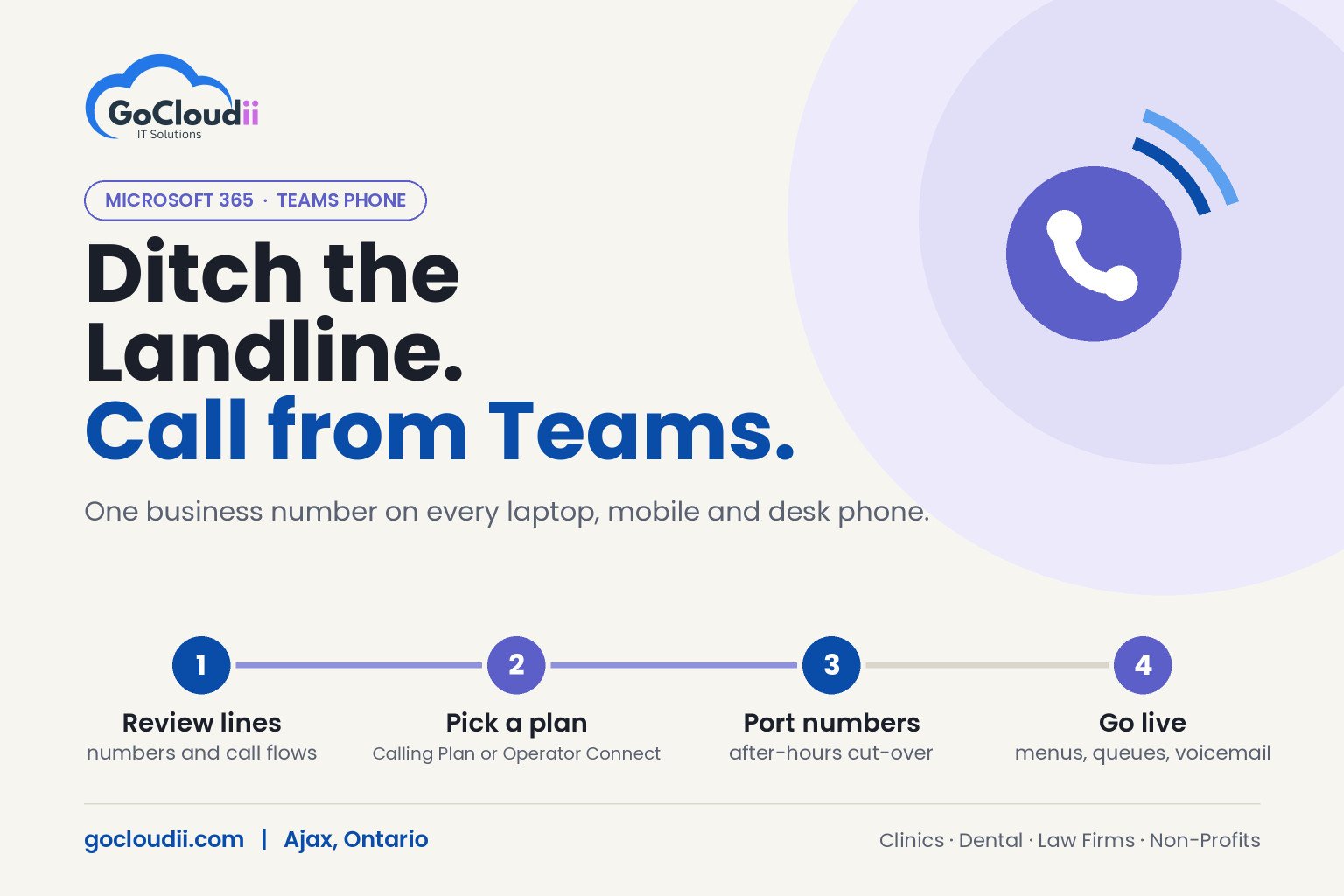
- Review your current lines, numbers, call flows and any special lines like fax or alarms.
- Check your network and internet connection for call quality.
- Choose licences and a calling option (Calling Plan, Operator Connect or Direct Routing).
- Build your call flows, including auto attendants, queues and after-hours rules.
- Port your numbers and schedule the cut-over outside business hours.
- Train staff on answering, transferring and voicemail in Teams.
Our Microsoft Teams Phone and Microsoft 365 solutions teams handle each step, and our managed IT services keep the system supported afterwards.
Keep calls secure
Moving your phones into Microsoft 365 means your Microsoft 365 accounts now protect your phone system too. Make sure every user has multi-factor authentication, voicemail PINs aren’t left at defaults, and international calling is restricted to the people who need it. Our cybersecurity services can review these settings as part of your rollout.
Frequently asked questions
Can I keep my existing business phone number with Teams Phone?
In most cases, yes. Canadian numbers can usually be ported to Microsoft Calling Plans or to an Operator Connect carrier. We confirm eligibility before scheduling the move.
Do I need desk phones for Microsoft Teams Phone?
No. Many staff use the Teams app with a headset. Certified Teams desk phones are available for reception desks, exam rooms or anyone who prefers a handset.
Does Teams Phone work for dental offices and clinics?
Yes. Auto attendants, call queues and after-hours routing suit busy front desks. We check any phone integrations with your practice management software before switching.
Related reading: Microsoft 365 Tips to Boost Business Productivity (2026 Guide) · Managed IT Services
Talk to us about Teams Phone
GoCloudii is a managed IT provider based in Ajax, helping clinics, dental offices, law firms, non-profits and schools across Durham Region and the GTA move their phones into Microsoft 365. Contact us to review your current phone system and plan a move to Microsoft Teams Phone.