If you run a clinic, law firm, dental office or non-profit in the GTA, you’ve probably asked the same question every growing office asks: what should IT support actually cost? Quotes for managed IT services can look very different from one provider to the next, and it isn’t always clear what’s included. This guide explains how managed IT services pricing works in Ontario, the common pricing models, what a good plan should include, and the questions to ask before you sign. It won’t give you a single magic number, because the right price depends on your office, but it will help you compare quotes with confidence.
What are managed IT services?
Managed IT services means handing day-to-day responsibility for your technology to an outside provider for a regular monthly fee. Instead of calling a technician only when something breaks, the provider monitors, maintains and secures your systems continuously, and your staff call one help desk when they need help.
For a small office, a managed IT provider often acts as the entire IT department. For a larger organization with an internal IT person, it can fill gaps such as after-hours monitoring, security tools or specialized projects.
How managed IT services pricing works in Ontario
Most providers in Ontario use one of four pricing models.
Per-user pricing
You pay a flat monthly fee for each staff member. Support covers that person wherever they work, on their desktop, laptop, phone and Microsoft 365 account. Per-user pricing is popular with professional offices because it’s easy to budget: when you hire someone, you know exactly how your IT cost changes.
Per-device pricing
You pay a monthly fee for each computer, server or network device being managed. This can suit offices with shared workstations, such as clinic exam rooms or reception desks, where several people use the same machine.
Tiered packages
Some providers offer bronze, silver and gold style plans. Lower tiers may include only monitoring and patching, while higher tiers add help desk support, security tools or on-site visits. Tiers can be useful, but read the details carefully, because the cheapest tier often leaves out the support your staff actually need.
Break-fix or block hours
With break-fix, you pay an hourly rate only when something goes wrong. Block hours let you prepay a set number of support hours. These options look cheaper on paper, but they make costs unpredictable, and the provider has no incentive to prevent problems before they happen.
What should a managed IT plan include?
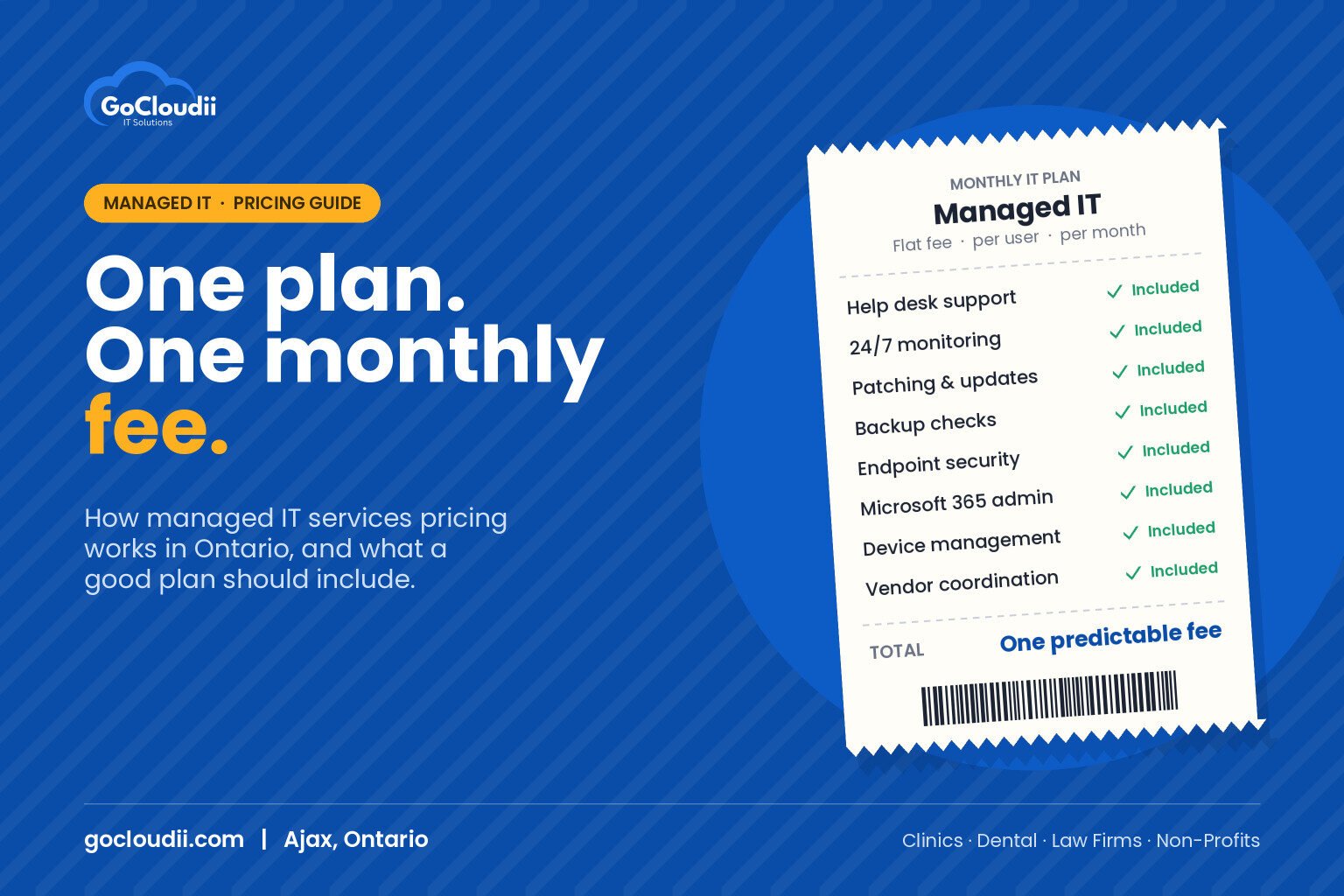
When you compare quotes, check that each plan covers the essentials:
- Help desk support for staff by phone, email or a support portal, with clear response times
- 24/7 monitoring of computers, servers and network equipment
- Patching and updates for Windows, macOS and key business applications
- Backup management, including regular checks that backups can actually be restored
- Endpoint security, such as Microsoft Defender for Business or Bitdefender GravityZone, on every device
- Microsoft 365 administration, including user setup, licences, email and security settings
- Device management, so new laptops can be set up quickly and lost devices can be locked or wiped
- Vendor coordination with your internet provider, phone system and practice software vendors
- Onboarding and offboarding when staff join or leave
- Regular reviews of your IT health, risks and upcoming costs
What affects the price of managed IT?
Two offices with the same number of staff can receive different quotes. Common reasons include:
- Number of users and devices. More people and equipment means more to manage.
- Servers and on-site equipment. An on-premises server or complex network needs more attention than a cloud-only office.
- Security requirements. Healthcare offices, law firms and accounting firms often need stronger security, more detailed records and tools that support cyber insurance requirements.
- Support hours. Coverage outside business hours or for multiple locations can affect the fee.
- On-site visits. Some plans include on-site support, while others charge separately.
- Starting condition. If your systems need a clean-up first, some providers charge a one-time onboarding fee.
Hidden costs to watch for
A low monthly price isn’t always the best value. Ask about:
- Exclusions. Is help desk support unlimited, or capped at a number of hours?
- Project fees. Are new computer setups, office moves or Microsoft 365 migrations billed separately?
- Licence costs. Are Microsoft 365, backup and security licences included in the fee or billed on top?
- Contract length. Long contracts with large cancellation fees reduce your flexibility.
- After-hours rates. Are emergency calls outside business hours charged at a premium?
Questions to ask a managed IT provider in the GTA
- What exactly is included in the monthly fee, and what costs extra?
- What are your response times during business hours?
- How do you protect and test our backups?
- Do you have experience with our industry and our practice or accounting software?
- How do you handle onboarding new staff and removing access when someone leaves?
- What is the contract term, and what happens if we want to leave?
A good provider will answer these clearly and put the answers in writing.
Frequently asked questions
Is managed IT cheaper than hiring an in-house IT person?
For many small offices, yes. A managed provider gives you a full team with help desk, security and project skills for a predictable monthly fee, without the cost of recruiting, training and covering vacations for one employee.
Are Microsoft 365 licences included in managed IT pricing?
It depends on the provider. Some include licences in a bundled per-user price, while others bill licences separately. Always ask so you can compare quotes fairly.
Can we switch managed IT providers mid-contract?
Usually, but check your current contract for notice periods and cancellation terms. A new provider should help you plan the transition so nothing is missed.
Get a clear, predictable IT plan
GoCloudii is a managed IT provider based in Ajax, supporting clinics, dental offices, law firms, non-profits and schools across Durham Region and the GTA. Our managed IT services use flat per-user monthly pricing that includes help desk support, 24/7 monitoring, device management and backups. We also handle Microsoft 365 solutions and cybersecurity services so everything is covered by one team. Contact us to book a free consultation and get a quote for your office.