If you run a dental office in Ajax, a medical clinic in Markham or a law firm in downtown Toronto, there is a question your patients, clients or board may eventually ask: “Where is our data actually stored?” If your team uses Microsoft 365 for email, files and Teams, the honest answer for many GTA offices is “we’re not sure.”
That uncertainty matters. Ontario offices that handle health records, legal files or donor information are accountable for that data wherever it lives. The good news is that Microsoft 365 data residency in Canada is well supported, and checking where your data sits takes about two minutes. This guide explains what data residency means, how to confirm your tenant’s location, and what Ontario privacy rules expect from you.
What Microsoft 365 data residency in Canada means
Data residency is the physical location where your data is stored “at rest,” meaning the data centres that hold your mailboxes, SharePoint sites, OneDrive files and Teams chats when nobody is using them.
Microsoft operates two Canadian data centre regions: Canada Central in Toronto and Canada East in Quebec City. When a Microsoft 365 tenant is set up with a Canadian billing address, Microsoft generally stores core customer data in Canada. Under Microsoft’s published data residency commitments, that core data includes:
- Exchange Online mailbox content (email, calendar and contacts)
- SharePoint Online and OneDrive files
- Microsoft Teams chats, channel messages and meeting content
- Many related security and compliance records
Some services and features fall outside those commitments, and support data or service telemetry can be processed elsewhere. That is why it is worth reviewing your setup rather than assuming.
Why data residency matters for Ontario clinics, law firms and non-profits
PHIPA and health information custodians
Ontario’s Personal Health Information Protection Act (PHIPA) applies to dentists, physicians, physiotherapists, pharmacies and other health information custodians. PHIPA does not flatly ban storing records outside Canada, but custodians must protect personal health information with reasonable safeguards and remain responsible for it, including when a vendor such as Microsoft holds it. Keeping data in Canadian data centres makes that responsibility easier to explain to patients and to the Information and Privacy Commissioner of Ontario.
PIPEDA and private-sector businesses
Law firms, accounting practices and other private businesses in Ontario generally fall under PIPEDA, Canada’s federal private-sector privacy law. PIPEDA also allows cross-border storage, but you must be open about it and protect the information with comparable safeguards. Many professional firms choose Canadian storage because it simplifies client conversations and engagement letters.
Non-profits and education
Donors, members and families increasingly ask how their information is handled. Some funders and school boards also ask about data location in vendor questionnaires. Being able to say “our Microsoft 365 data is stored in Canada” is a simple trust signal.
How to check where your Microsoft 365 data is stored
You can confirm your tenant’s data location yourself in the Microsoft 365 admin centre:
- Sign in to the Microsoft 365 admin centre with a Global Administrator account.
- Go to Settings, then Org settings.
- Select the Organization profile tab.
- Open Data location.
You’ll see a list of services, such as Exchange, SharePoint and Teams, with the region where each one stores data. For most tenants created with a Canadian address, these show Canada. If you see another region, it’s often because the tenant was originally set up through a US reseller, a parent company or an old trial account.
What if your data is stored outside Canada?
Don’t panic. Your data is still protected by Microsoft’s security controls. But if Canadian storage matters to your organization, you have options:
- Microsoft’s Advanced Data Residency add-on can help eligible tenants move and keep core data in Canada.
- Multi-Geo is designed for larger organizations that need data in more than one country.
- A tenant-to-tenant migration to a new Canadian tenant is sometimes the cleanest route for small offices, especially after a merger or a messy original setup.
Each option has licensing requirements and planning steps, so it’s worth getting advice before you commit.
Data residency is only one piece of Microsoft 365 security
Storing data in Canada does not make it secure on its own. Most Microsoft 365 incidents we see across the GTA start with a stolen password or a phishing email, not a data centre problem. Pair data residency with these basics:
- Multi-factor authentication (MFA) on every account, including admins and shared mailboxes.
- Backups and retention policies so deleted or encrypted files can be restored.
- Least-privilege admin roles, so only a few people hold Global Administrator access.
- Limits on external sharing in SharePoint, OneDrive and Teams.
- Microsoft Defender for Office 365 to filter malicious links and attachments.
- A written privacy and breach response plan that names who does what.
Our Microsoft 365 solutions team sets these up for small offices, and our cybersecurity services keep them monitored over time.
A quick Microsoft 365 data residency checklist
Use this list at your next team or board meeting:
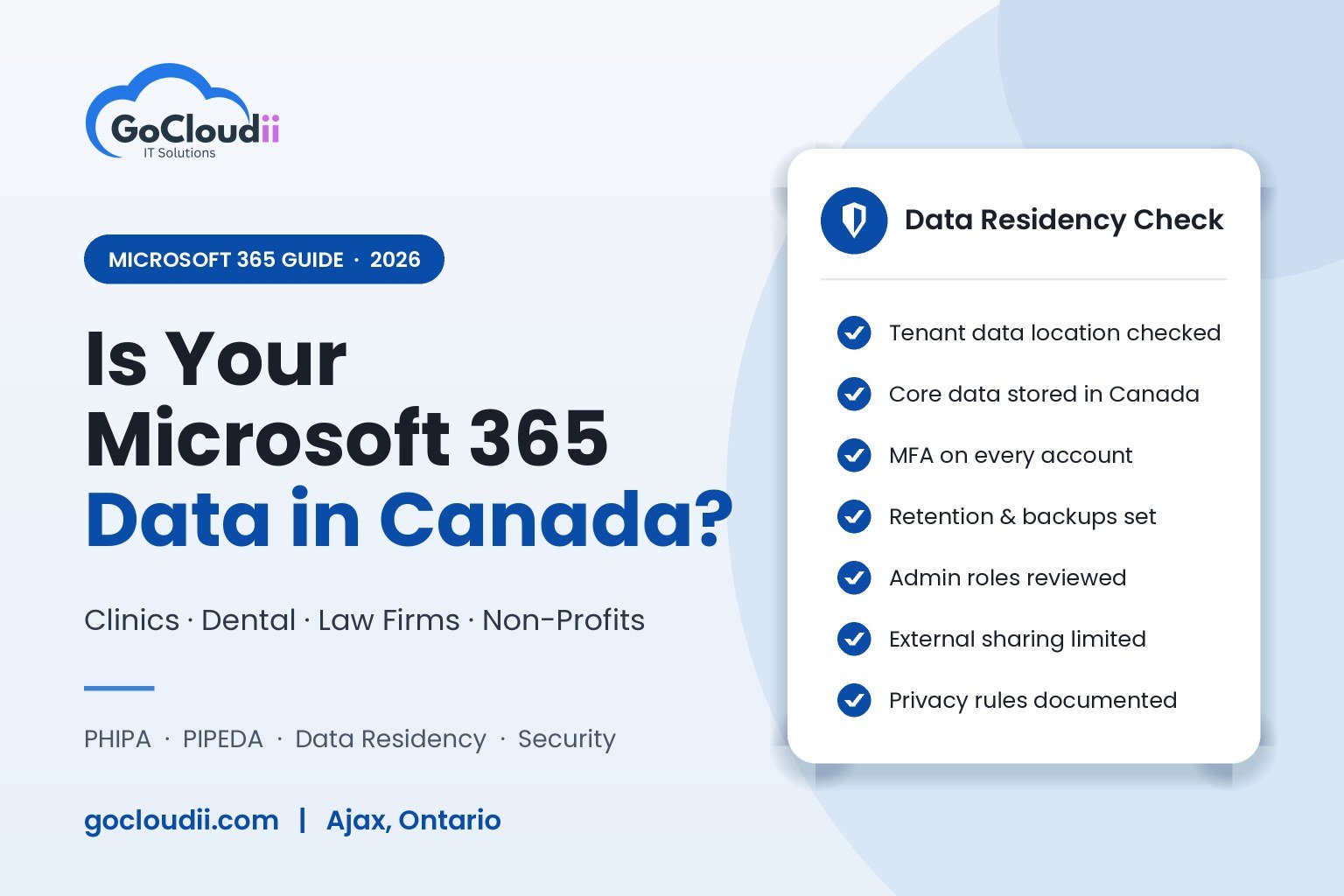
- We’ve checked the Data location page in the Microsoft 365 admin centre.
- Our core services (Exchange, SharePoint, OneDrive and Teams) are stored in Canada, or we’ve documented why not.
- Our privacy policy explains where client or patient data is stored.
- MFA is enforced for every user.
- We have tested restoring files from backup in the past year.
- Someone is responsible for reviewing admin access and sharing settings.
Frequently asked questions
Is Microsoft 365 data stored in Canada?
For most tenants created with a Canadian address, yes. Core customer data for Exchange, SharePoint, OneDrive and Teams is generally stored in Microsoft’s Toronto and Quebec City data centres. You can confirm this under Settings, Org settings, Organization profile, Data location.
Does PHIPA require health data to stay in Canada?
PHIPA doesn’t contain a blanket rule requiring Canadian storage, but custodians must use reasonable safeguards and stay accountable for data held by vendors. Many Ontario clinics choose Canadian storage to make compliance easier to demonstrate.
Can GoCloudii move our Microsoft 365 tenant to Canada?
Yes. We assess your current tenant, explain the options and costs, and plan a move with minimal downtime for your team. As part of our managed IT services, we also keep your tenant secure afterwards.
Book a Microsoft 365 data residency review
Not sure where your data lives, or whether your Microsoft 365 setup would stand up to a privacy question? GoCloudii is a managed IT provider based in Ajax, supporting clinics, dental offices, law firms, non-profits and schools across Durham Region, Toronto and the GTA. Contact us for a review of your Microsoft 365 tenant, and we’ll tell you exactly where your data is stored and what to tighten up.