The weeks between November and the new year are busy for almost every business. Staff are ordering supplies, approving year-end invoices, tracking deliveries, sending gift cards and planning time off. Criminals know this, and they time their phishing campaigns to match. A fake shipping notice, an “urgent” gift card request from the owner or a bogus invoice can slip through when everyone is rushing. This guide explains the holiday phishing scams small businesses in Ontario should watch for, and the practical steps that keep your team and your money safe through the season.
Why phishing increases during the holidays
Holiday phishing works because it blends into normal seasonal activity:
- More online orders mean shipping and delivery notices look routine
- Year-end payments create a steady flow of invoices and payment requests
- Gift cards and bonuses make requests for gift card codes seem plausible
- Staff vacations leave approvals with people who may not know the usual process
- Distraction and urgency reduce the time people take to check a message
None of this needs advanced hacking. A convincing message and a rushed click are enough.
Holiday phishing scams small businesses in Ontario should watch for
Fake delivery and shipping notices
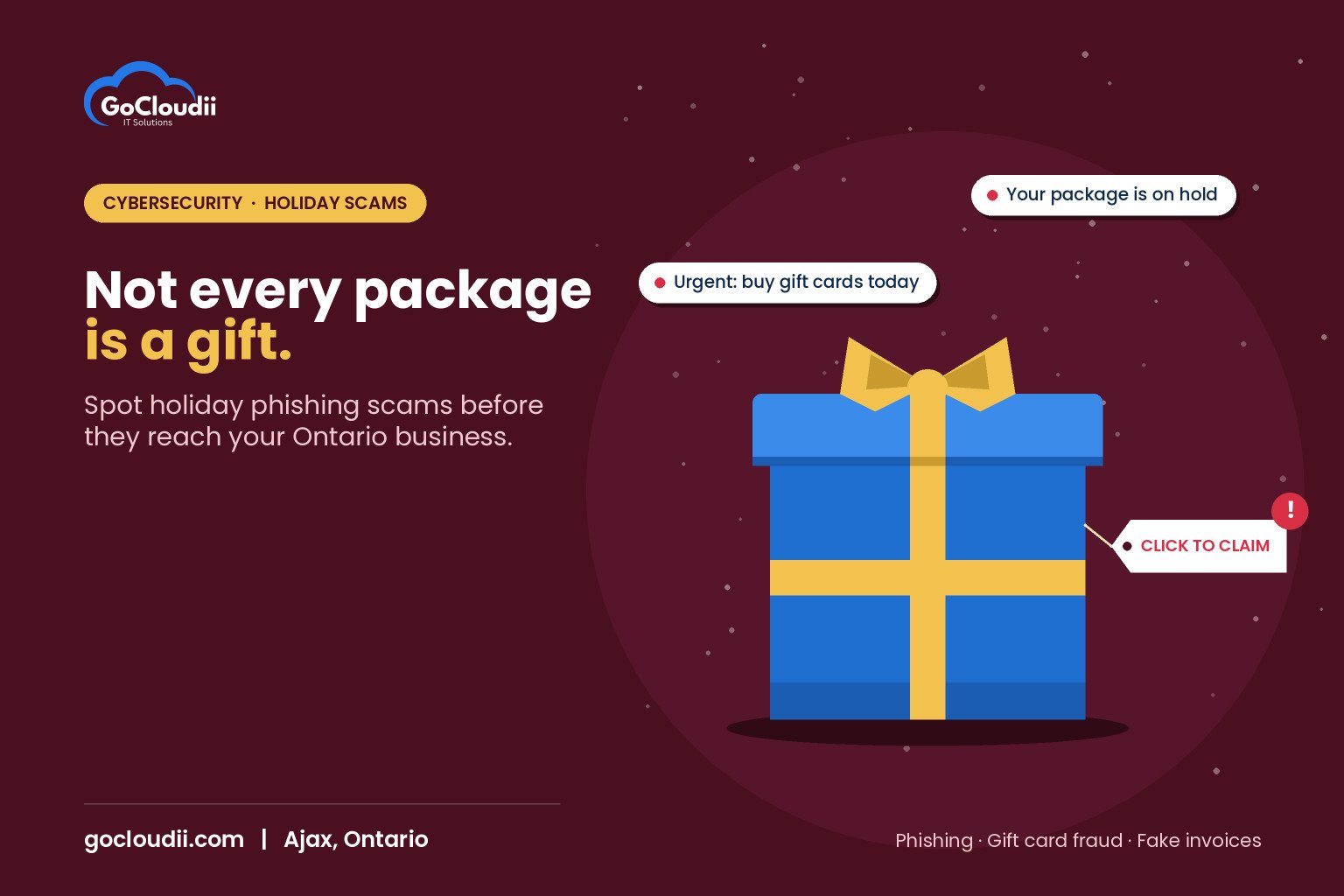
Messages claim a package could not be delivered and ask the recipient to click a link to reschedule, confirm an address or pay a small fee. The link leads to a fake page that steals passwords or card details. These arrive by email and by text message.
Gift card requests from “the boss”
An employee receives an email or text that appears to come from the owner or a manager, asking them to buy gift cards for clients or staff and send the codes urgently. Once the codes are shared, the money is gone.
Fake invoices and changed banking details
Criminals send invoices that look like they come from real suppliers, or ask to update a vendor’s banking information before a year-end payment. Our post on business email compromise explains how these schemes work.
Fake Microsoft 365 and file-sharing alerts
Messages warn that a mailbox is full, a password is expiring or a document has been shared, and link to a fake Microsoft 365 sign-in page. Stolen credentials can then be used to send more phishing from your own account.
Charity and donation scams
Fake charities and appeals appear during the giving season. They may request donations by unusual methods or impersonate well-known organizations.
Holiday e-cards and party invitations
Attachments or links disguised as greeting cards, staff party details or year-end schedules can install malware or lead to credential theft.
How to protect your business this season
1. Turn on multi-factor authentication everywhere
Multi-factor authentication (MFA) is one of the most effective ways to stop attackers who have stolen a password. Turn it on for Microsoft 365, banking, payroll and any cloud app your team uses.
2. Set a clear payment verification rule
Any new payment request, change of banking details or gift card purchase must be confirmed by phone using a known number, never a number or link in the message. Make sure staff covering for colleagues on vacation know this rule too.
3. Strengthen email filtering
Advanced filtering, such as Microsoft Defender for Office 365, checks links and attachments when they are opened and can block many phishing messages before they reach staff. Set up SPF, DKIM and DMARC on your domain so criminals cannot easily send email that appears to come from you; our guide to SPF, DKIM and DMARC explains how.
4. Protect every device
Modern endpoint protection, such as Microsoft Defender for Business or Bitdefender GravityZone, can detect and stop malicious downloads and suspicious behaviour on laptops and phones. For help choosing, see our comparison of Microsoft Defender vs Bitdefender.
5. Give staff a quick refresher
A short reminder before the holidays is often enough. Show real examples of delivery scams, gift card requests and fake invoices, and remind everyone to slow down when a message feels urgent.
6. Make reporting easy
Give staff one simple way to report a suspicious message, such as a report button in Outlook or a dedicated email address. Thank people for reporting, even when it turns out to be safe.
7. Plan coverage for the holidays
Decide who approves payments while key people are away, and make sure your IT provider is reachable if something goes wrong during the break.
What to do if someone clicks
- Disconnect the device from the network if malware is suspected
- Reset the affected password and sign out of all sessions
- Check the mailbox for new forwarding rules or unusual sent messages
- Contact your bank immediately if money or card details were involved
- Report fraud to the Canadian Anti-Fraud Centre and local police
- Contact your IT provider to investigate and confirm the threat is removed
Speed matters. The sooner a click is reported, the easier it is to limit the damage.
Frequently asked questions
Are small businesses really targeted, or just large companies?
Small businesses are frequently targeted because attackers expect fewer security controls and less time to check messages. Many phishing campaigns are sent widely and succeed wherever someone clicks.
Can email filtering stop all phishing?
No tool stops everything. Filtering, MFA, endpoint protection and trained staff work best together, each catching what another might miss.
Should we stop using gift cards for staff and clients?
Not necessarily. Just make sure gift card purchases follow a normal approval process and are never requested only by email or text.
Stay safe this season with GoCloudii
GoCloudii helps businesses in Ajax, Durham Region and across the GTA reduce the risk of phishing and fraud. Our cybersecurity services cover MFA, email protection, endpoint security and staff training, our Microsoft 365 solutions configure the protections you already pay for, and our managed IT services provide monitoring and support all year. Contact us for a free consultation and a holiday security check for your business.